

What happened in the saved PDF?
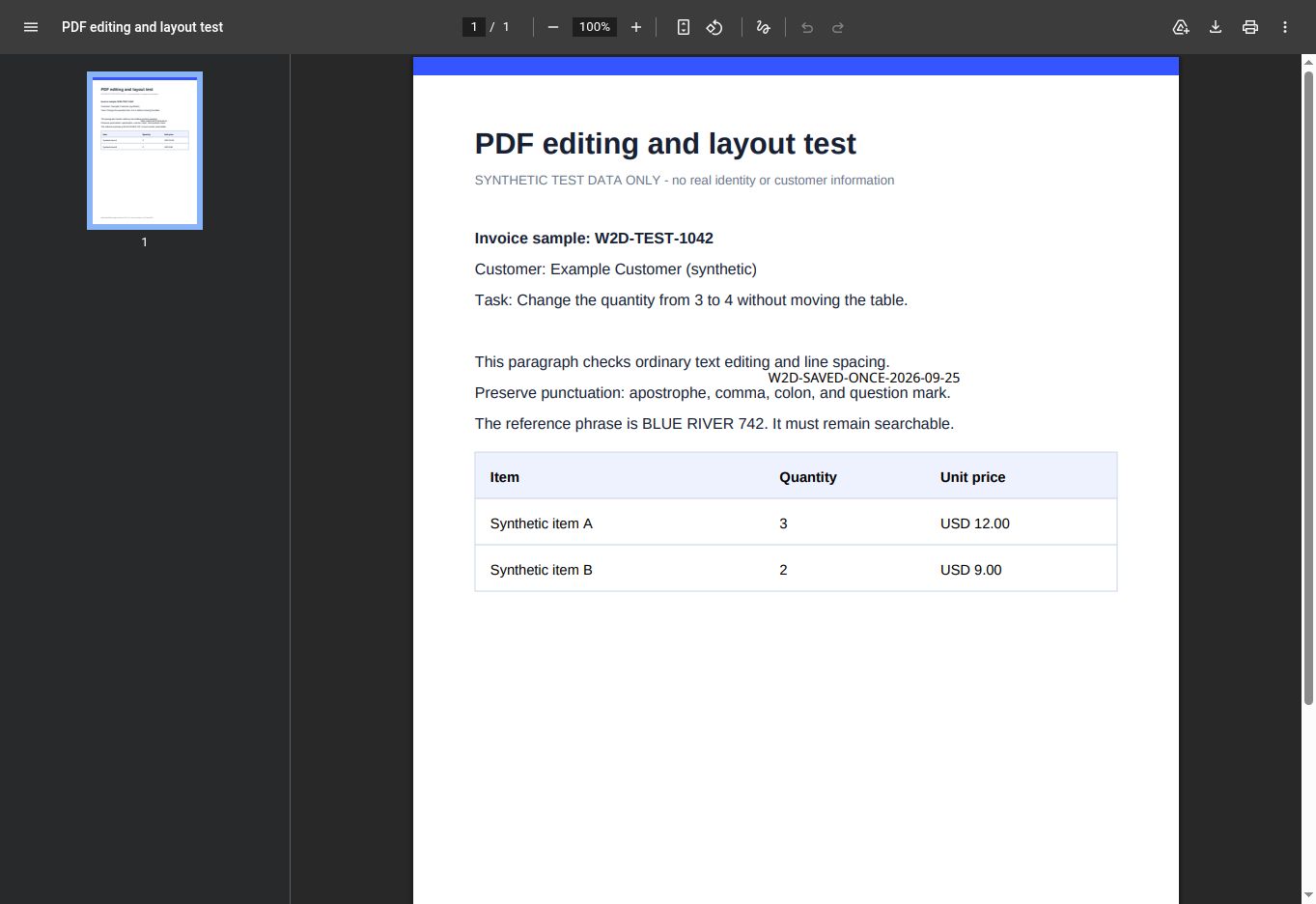
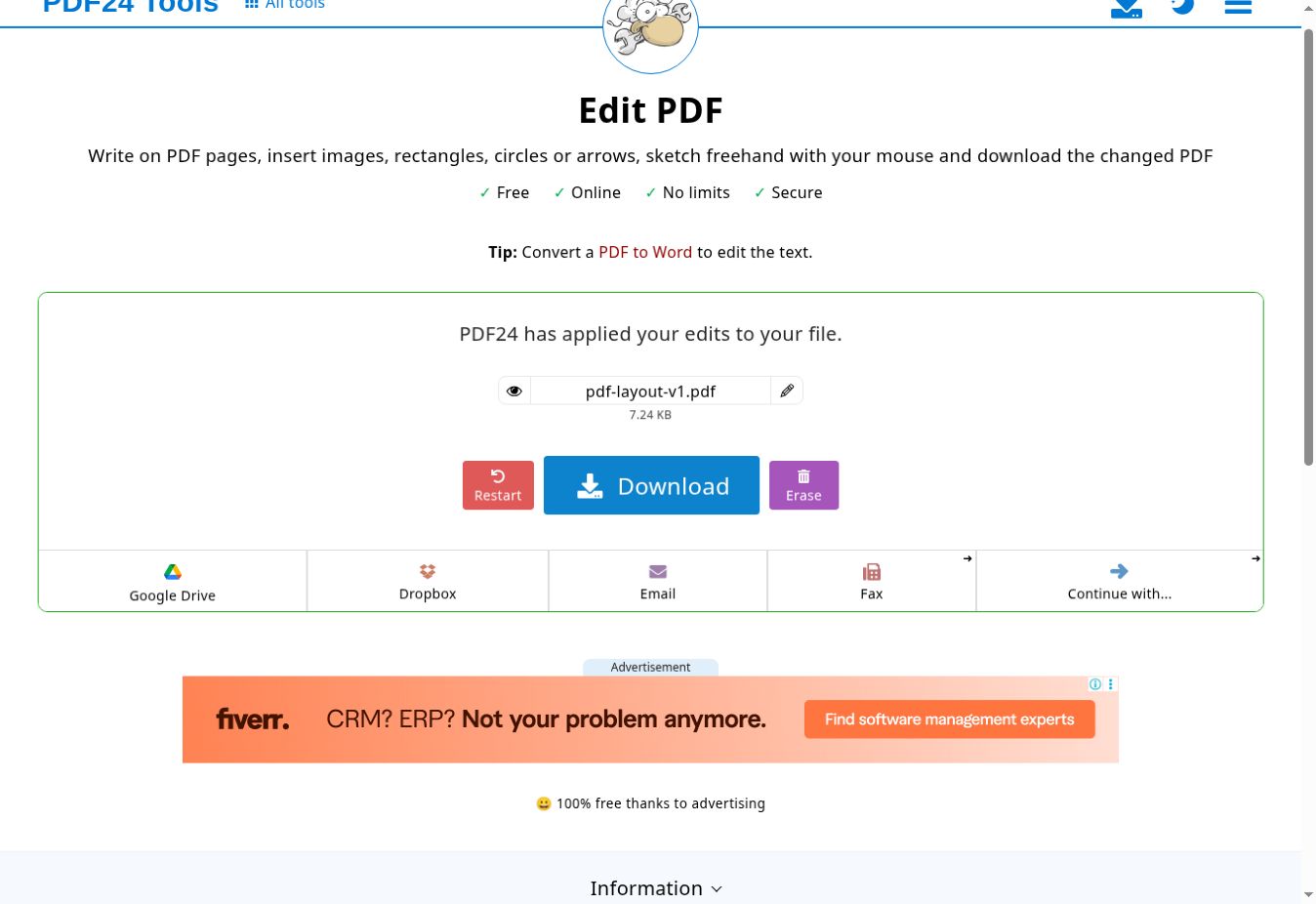
The added marker survived one Save action and download. It was visible in a separate Chrome PDF viewer and extractable with Poppler. The existing quantity did not change, so this result must not be presented as a pass for editing existing PDF text.
| Check | Observed result | Meaning and limit |
|---|---|---|
| One Save action | PDF24 showed “has applied your edits” after one Save action, and the result downloaded. | Pass for this one-page job only; it does not prove autosave, recovery, mobile or every session. |
| Added text marker | The downloaded PDF visibly contains W2D-SAVED-ONCE-2026-09-25, and Poppler extracted the same marker. | Pass for adding one text overlay and saving it; not a test of every annotation type. |
| Original searchable phrase | BLUE RIVER 742 remained extractable from the output. | Pass for retaining this fixture phrase; not a general layout or accessibility guarantee. |
| Existing table value | The original quantity remained 3 rather than changing to 4. | Fail for the fixture’s existing-text edit. PDF24 itself points users to PDF-to-Word for editing text. |
| Metadata | Title, author and creation/modification dates remained in the saved output. | This workflow did not sanitize the fixture metadata. |
Download the synthetic inputDownload the saved outputView the real completion screenRead the test reportInspect checksums and scope
Exact test scope
- Edition
- PDF24 Online Tools · Edit PDF
- Version
- Online web app; vendor build number not exposed
- Environment
- Remote Chrome session; OS build and hardware not exposed
- Test date
- 25 September 2026
- Input
- One-page CC0 synthetic A4 PDF
Why the existing quantity stayed at 3
The tested control added a new text object on top of the page. It did not replace text already inside the PDF. PDF24’s current page describes writing on PDF pages and separately advises converting a PDF to Word to edit text.
Privacy and recovery limits
This was an online workflow. PDF24 says online tools process files on its servers, while Creator keeps files on a Windows PC. No server-deletion timing, offline workflow, autosave or crash recovery was tested.
Why we ran the save check
A 20 February 2026 PDF24 support-community post reported lost edits and needing a second Save action. That is evidence of a real user question, not proof of a general defect. Our result only says one Save worked for this one job on 25 September 2026.
Sources checked 25 September 2026: official Edit PDF page; official Online/Creator processing scope; community report that motivated this test.
Save and verify checklist
0 of 6 complete · saved on this device
Short answer: did one Save work?
Yes for this one-page synthetic file on 25 September 2026. PDF24 showed a completed result after one Save action, and the downloaded PDF contained the unique marker. This does not prove that every device, file, browser or interrupted session behaves the same way.
Adding text is not editing existing text
The marker was a new object placed on top of the page. The fixture asked for quantity 3 to become 4, but the saved output still contained 3. PDF24’s own Edit PDF page distinguishes writing on pages from editing text and points users to PDF-to-Word for the latter.
Protect the original and verify the result
Save to a new filename, reopen in another viewer and inspect the actual downloaded file. A February 2026 community report about lost work motivated this check, but a user report is not a verified product defect. Our output is downloadable so the observed scope can be checked independently.
Inspect the exact editions
Open the full evidence record before choosing. A documented candidate is not a completed migration test.